How to Prepare Artwork for Balloon Printing | Everts-Pol

For balloon printing, it is best to submit your logo or artwork in vector format. Everts-Pol accepts AI, CDR, EPS and vector PDF files, among others, and all text in the artwork should be converted to outlines. Before production begins, our graphics team checks the file and prepares a digital proof of the print for approval.
Key information
Technical file requirements
Preparing artwork for printed balloons requires an understanding of the characteristics of latex balloons: a flexible, curved material that changes shape when inflated. Careful file preparation minimises errors and speeds up production.
File format
For printing a logo on a balloon, it is best to submit a vector file. Everts-Pol accepts the following formats:
- AI – an Adobe Illustrator vector file,
- CDR – a CorelDRAW file,
- EPS – a widely used vector graphics format,
- Vector PDF – provided that the artwork within the file is actually saved as vectors.
JPG, PNG and other raster graphics may require individual assessment before production.
Vector formats are the preferred choice: AI (Adobe Illustrator), EPS / CDR (CorelDRAW) or PDF. Based on mathematical paths, vectors remain sharp regardless of balloon size, from smaller 10-inch balloons to large 18-inch balloons. Vector artwork can be scaled without the loss of sharpness typical of bitmap images, making it the preferred format for logos, lettering and simple graphic elements. Vector graphics consist of mathematically defined lines, curves and shapes. This allows them to be enlarged or reduced without losing quality, which is particularly important for logos, text and brand marks.
Is every PDF file a vector file?
No. The PDF extension alone does not mean that the artwork is vector-based. A PDF can contain vector paths and objects as well as an embedded JPG or PNG image. This is why the contents of the file are checked before the print is prepared.
If your artwork includes raster elements, such as a photograph or bitmap, submit the highest-quality file available. Whether a particular design can be printed depends on the artwork size and the chosen printing technology, so the material should be checked before production. The main differences between PNG and JPG concern compression, transparency support and intended use. JPG uses lossy compression, which reduces image quality but produces smaller files, making it ideal for digital photographs, such as those used on websites. PNG uses lossless compression, preserving image quality and supporting transparency, making it ideal for logos and graphics with tonal gradients. TIFF is the most recommended format for raster artwork. It is used in publishing and printing because it supports layers, transparency and lossless compression, allowing full image quality to be preserved.
What if my logo is only available as a JPG or PNG?
If you do not have a vector version of your logo, send the best JPG or PNG file available. Our graphics team will assess whether it can be used for production or needs to be prepared or recreated in vector format. Do not enlarge a small JPG or PNG file yourself. Increasing its dimensions does not restore missing details or improve the actual quality of the artwork.
Resolution
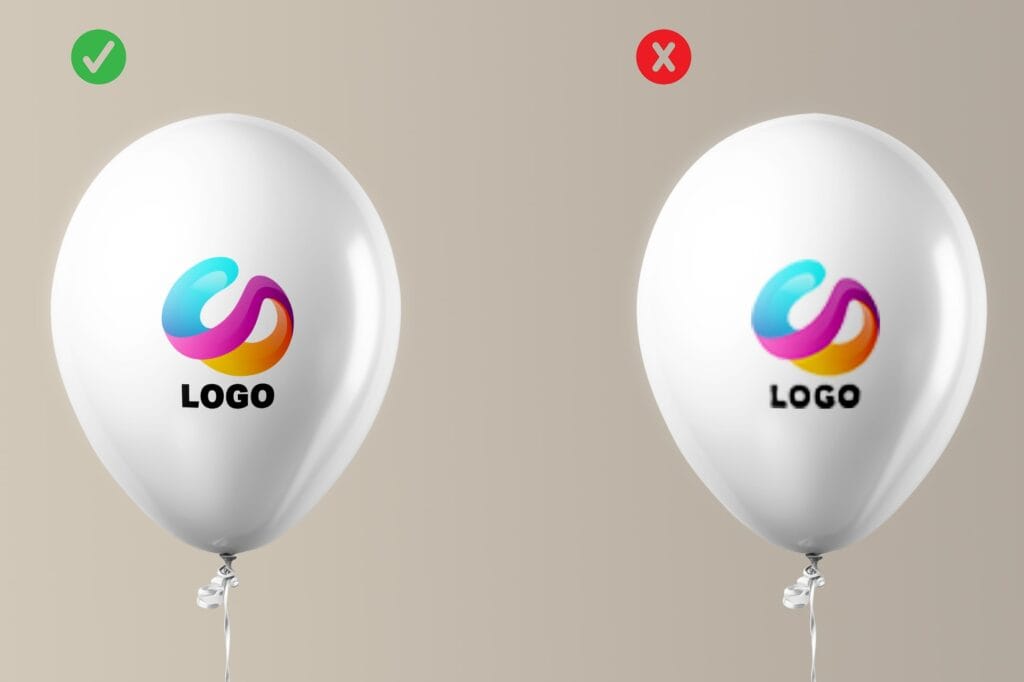
For raster files, a minimum resolution of 300 DPI at actual print size (1:1) is essential. Lower resolutions, such as 72 DPI, lead to pixelation, particularly on larger balloons, such as 30 cm models. A resolution of 300 DPI ensures a sharp print even on the curved latex surface. What does this mean in pixels? The minimum file resolution to submit for balloon printing is 1650 px.
Below, we show a preview of an example print produced on a Laserprint machine using a correctly prepared file, supplied at the appropriate resolution with text converted to vector outlines, alongside a preview using an incorrectly prepared, low-resolution file with raster text. If you are unsure, send the highest-quality file available – our graphics team will assess its suitability for production.
Colours
CMYK is a colour mode used to reproduce colours in print. RGB is a colour space used primarily for screens. How colours should be prepared for printing depends on the chosen technology. If your brand uses a specific corporate colour, provide its Pantone reference. For orders of 1,000 balloons or more, Everts-Pol offers print colour selection from the Pantone Solid Coated C palette. If your logo or brand colour is defined in your brand guidelines, include its reference when submitting the artwork.Transparency and background
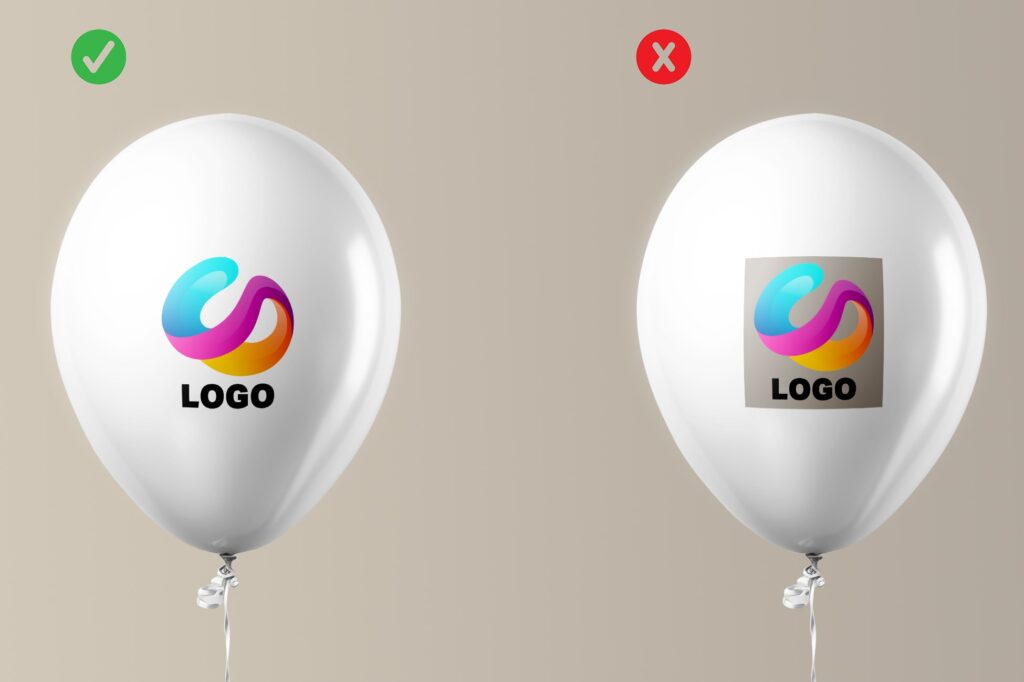
If the design does not include a printed background, do not add a white rectangle or any other background area to the artwork. In a vector file, the area outside the artwork should have no fill. Below, we show a comparison of a printed logo without a background and with a background.
Artwork design
Designing artwork for balloons requires an understanding of how latex responds to stretching. The artwork may become slightly distorted when the balloon is inflated, so we recommend following the guidelines. Read more about the types of printing machines we use at Everts-Pol. Read the article.Maximum print area
The available print area depends on the balloon size and the chosen printing technology. For standard printing on an 11″ balloon, the maximum artwork size is 11.5 cm. For other sizes or printing technologies, our graphics team will specify the appropriate print area. The illustration below can help you prepare your logo for balloon printing. The shape and size of the available print area depend on the balloon format and the printing technology used. Depending on the machine type and balloon size, the circle should have the diameter shown in the illustration below.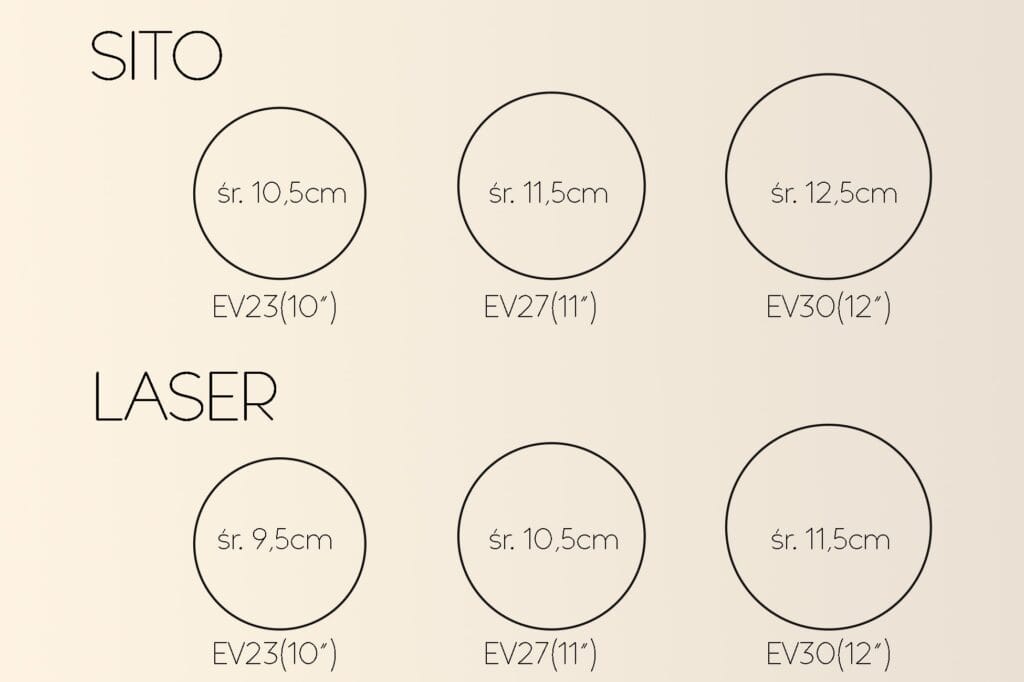
Logo size and placement
For standard single-sided printing, the logo is usually positioned centrally within the available print area. This helps keep the design legible and reduces the risk of placing important elements too close to the edges of the printable area.Legibility of small details and text
Small elements, such as icons and lines, should have a minimum thickness of 0.5 mm in the vector artwork. Text smaller than 9 pt may become blurred when the latex stretches.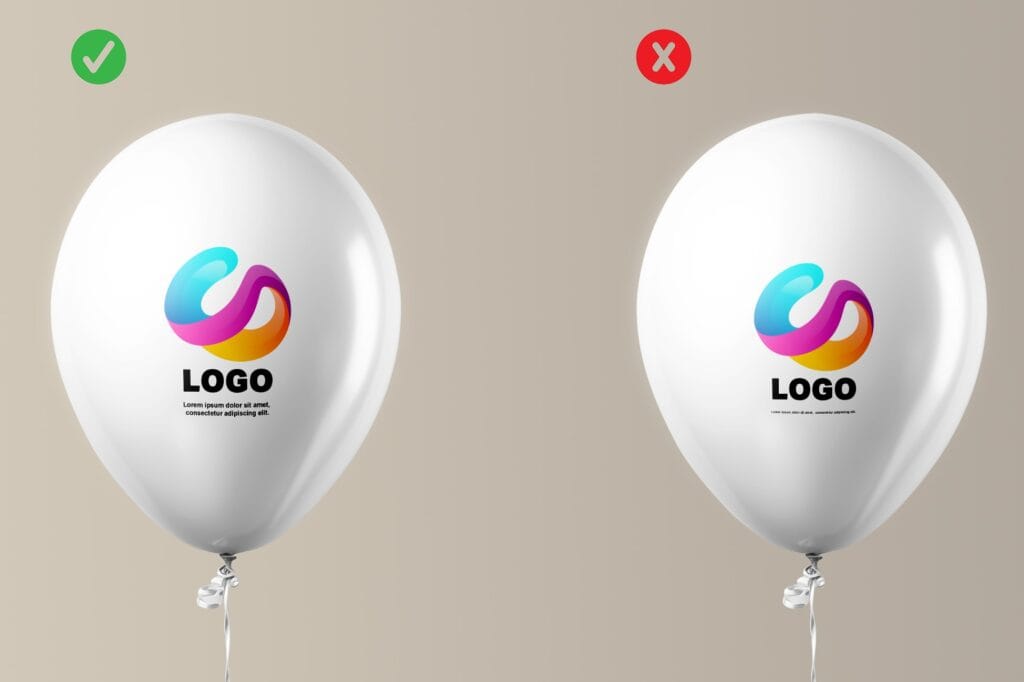
Does a logo need to be simplified before printing?
Do not modify your company logo yourself simply to make it suitable for balloon printing. It is best to submit the original file that follows your brand guidelines. If the design is too detailed or requires adjustment for a particular printing technology, our graphics team can suggest a suitable solution.Fonts and text
Text within a logo on promotional balloons requires particular attention because the latex surface can distort fine details. Before submitting your artwork, convert all text to outlines. This ensures that the file does not depend on the fonts installed on the computer used to open it. Choose sans-serif fonts that remain legible on a curved surface. Very thin typefaces require particular attention, as delicate letter details can be harder to reproduce in a small print. The minimum legible text size depends on the typeface, stroke thickness, printing technology and balloon size. Very small or thin lettering may require adjustment before production.Quality checks before submitting your file
The file needs to be checked carefully before it is sent for printing. You do not need to prepare a balloon print preview yourself. After checking the file, our graphic designer prepares a digital proof and sends it to you for approval before production begins. You can submit the file with your enquiry. If it is too large to send as an attachment, you can provide a download link instead.What to avoid and what to remember
Our experience and commitment help us discover and understand our customers’ evolving needs every day. Taking an individual approach to each printing project allows us to develop our skills. To provide professional guidance, we have prepared a few tips on balloon printing.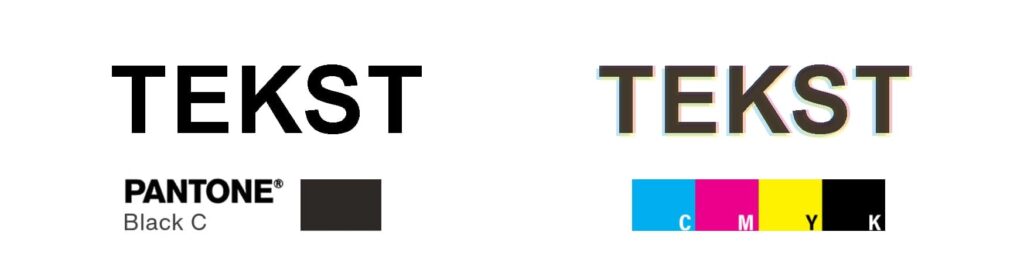
Text printed on balloons should be rendered using solid Pantone colors. This prevents blurring and ensures the text remains legible. Please note that all text must be converted into vector outlines.
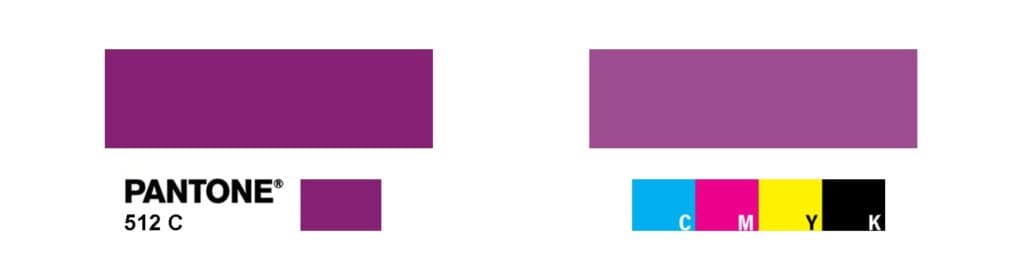
In prints produced using the CMYK method, the colors have a lower level of saturation compared to those produced via screen printing. If precise color reproduction is required, an additional ink from the Pantone color matching system should be used.
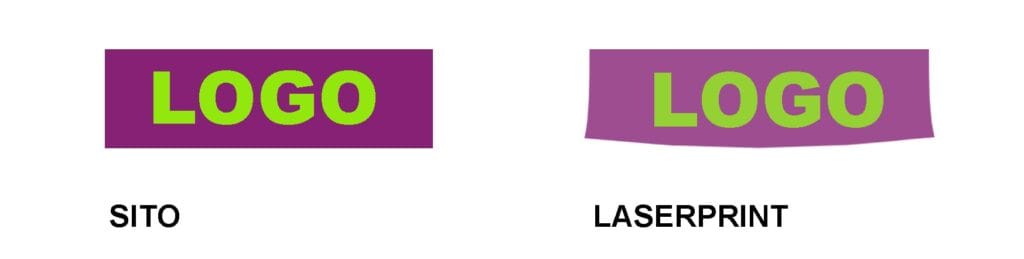
For designs that incorporate distinct rectangular or square frames, the choice of technology is particularly important. Stretching the balloon surface can affect the appearance of straight lines; therefore, any such design should be evaluated by the graphics department prior to production.

Prints produced using the CMYK method rely on halftoning (rasters). In halftone printing, the tonal values of an image are reproduced by means of tiny halftone dots. This makes it possible to achieve, among other things, tonal transitions, shadows, and more complex effects than those attainable with solid areas of color.
Summary
Preparing a file for printing on latex balloons does not have to be complicated. Here is a quick checklist:- Is the file saved as AI, CDR, EPS or a vector PDF?
- Has all text been converted to outlines?
- Are you submitting the correct colour version of your logo?
- If you use a specific brand colour, do you have its Pantone reference?
- Is the artwork free from any unintended white background?
- Are fine lines and small text still legible?
- If the artwork contains a bitmap, are you sending the best version available?
- Have you specified the intended balloon size and quantity?
- Is the file the final version of your logo or artwork?
What happens to your file after you send it to Everts-Pol?
After receiving your artwork, the Everts-Pol graphics team checks its suitability for production. The process includes:
- checking the file and artwork quality,
- reviewing the text, colours and design details,
- adapting the artwork to the chosen balloon and printing technology,
- preparing a digital proof,
- sending the digital proof to the customer for approval.
Production begins after the artwork has been approved, in accordance with the agreed ordering process.